YouTube Music playlist duration calculator
Main intent
Paste a YouTube Music playlist link and estimate the playlist duration if YouTube data returns its videos and durations.
Paste a YouTube Music or YouTube playlist link and calculate the total time when the playlist can be read through YouTube data. Public music videos, mixes, and background queues may work like normal playlists, while private, unavailable, licensed, or region-restricted items can change the result.
Total music time
Estimate whether a music playlist fits a workout, commute, road trip, or background session.
Honest limits
Private, unavailable, licensed, or region-restricted tracks may not return usable duration data.
Range and speed
Check only part of a playlist or compare spoken music videos at faster playback speeds.
How music playlists work
The tool extracts the playlist ID from the URL and asks YouTube data for playlist items and video durations. That means it can estimate duration when YouTube returns the playlist data, but it cannot bypass private playlists, unavailable tracks, regional limits, or license restrictions.
Use a YouTube Music playlist URL, a normal YouTube playlist URL, or a watch URL that includes a list parameter. The important part is a real playlist ID that YouTube data can read.
After calculation, read the counted video number and unavailable count. Music playlists can include items that do not return normal duration data, so those counts matter.
Use the total duration for study music, commute playlists, workout sessions, road trips, background queues, or any music list where the length needs to match a real time window.
Music queue planning
Study music, workout playlists, commute queues, and road trip lists all depend on duration. The calculator gives a practical estimate when YouTube returns the playlist data, and it shows limits when some items cannot be counted.
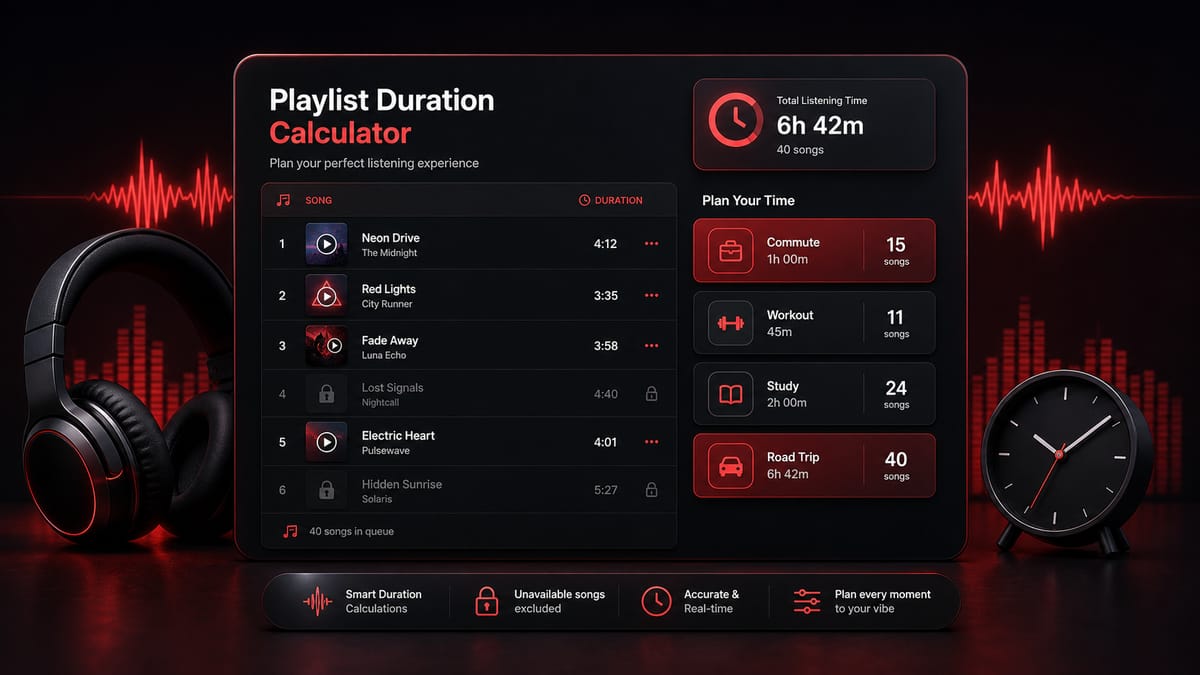
Music playlist intents
Music playlist searches usually care about a real listening window: how long the playlist runs, whether it covers a drive, whether it ends too soon during study, or whether a workout mix is long enough.
Paste a YouTube Music playlist link and estimate the playlist duration if YouTube data returns its videos and durations.
Use length as total listening time, not just number of tracks or videos. The result shows hours, minutes, and seconds.
Check whether a full music queue fits a commute, work session, party, drive, study block, or evening routine.
Estimate whether a calm background playlist lasts for one Pomodoro block, a two-hour study session, or a full afternoon.
A playlist can be too short or too long for a workout, bus ride, train commute, or walk. Duration makes the choice easier.
Compare playlist length with a road trip segment before you start, especially if you want fewer interruptions.
Music limits
The calculator does not scrape private playback history or a personal account. It calculates from playlist and video data that YouTube makes available to the API.
Music videos, licensed tracks, unavailable uploads, deleted items, and region-restricted content may not return normal duration data. The unavailable count tells you when the result has limits.
If a music list is also available as a normal YouTube playlist, the duration logic is the same: playlist ID, ordered videos, readable durations, then total time.
Music use cases
Music duration matters when the playlist needs to fit an activity. These examples focus on planning a listening window rather than analyzing every track.
Study music
A study playlist that ends early can break concentration, while one that runs too long may not fit the session.
Paste the playlist and compare the total time with your study block.
You know whether to add more videos, trim the queue, or save the rest for another session.
Workout
Workout music works best when it covers warmup, main training, and cooldown without constant switching.
Calculate the playlist duration at 1x and compare it with the workout plan.
You can choose the list that fits the routine instead of guessing from the number of tracks.
Commute
A commute playlist may need to cover a bus ride, train trip, bike ride, or walk with minimal interruption.
Check the total playlist time before starting the trip.
You know whether the queue will finish too early or run past the destination.
Road trips
Road trip music is easier when the playlist covers a full driving segment or rest-stop interval.
Paste one or more playlist links and compare durations.
You can prepare music blocks that match the drive instead of changing playlists too often.
Background playlists
Background playlists for writing, cleaning, cooking, or desk work often need to last a predictable amount of time.
Calculate the duration and use the daily plan if the queue is very long.
You know whether the playlist fits the activity or should be split.
Mixed music videos
Music playlists can contain hidden, blocked, or removed items. A plain track count does not show that clearly.
Read the counted and unavailable video numbers in the result card.
You can tell whether the duration is complete enough for planning.
FAQ
Yes, if the playlist can be read through YouTube data. The calculator extracts the playlist ID and adds the durations of items YouTube returns. Private, unavailable, licensed, or region-restricted items can affect the result.
It can work when the link contains a normal playlist ID such as a list parameter and YouTube data returns that playlist. If the playlist is private or unavailable to the API, the calculator cannot read it.
It means the total listening time for the videos or tracks that can be counted. The result is shown in hours, minutes, and seconds, plus speed estimates when useful.
Some items may be private, deleted, region-restricted, license-restricted, or unavailable through YouTube data. Those items may not return a duration and can appear as unavailable.
Yes, when the playlist is readable. Paste the link and compare the total time with your study block, focus session, or background work plan.
Yes. Use the total duration to check whether the playlist fits a workout, walk, train ride, bus ride, or drive.
Yes. Use the video range fields in Advanced options to calculate only a selected section of the playlist.
No. The calculator does not read your account, history, liked music, or private library. It only works from the playlist or video data available for the link you paste.
Yes. Put one supported YouTube or YouTube Music link per line. Each valid item gets its own result card so you can compare queue lengths.
For normal music listening, most people use 1x. Speed rows are still shown because some playlists include talks, podcasts, lyric videos, or lessons where faster playback can matter.
Usually no. The site can process normal checks with its setup. If shared quota is temporarily limited, you can add your own key for a single request.
No. This is an independent playlist duration calculator. It is not owned by YouTube Music, YouTube, or Google, and results depend on YouTube Data API availability.
Calculate music playlist time
Use it for study music, workouts, commutes, road trips, background playlists, or any music queue where time matters.
Related pages
For normal playlist duration, use the playlist duration calculator . If you only need one section of a long music list, open the YouTube playlist range calculator . If you already listened to part of the list, use the YouTube playlist remaining time calculator . For daily watch planning, use the YouTube playlist time calculator , or compare spoken playlists at speed with the YouTube playlist speed calculator .